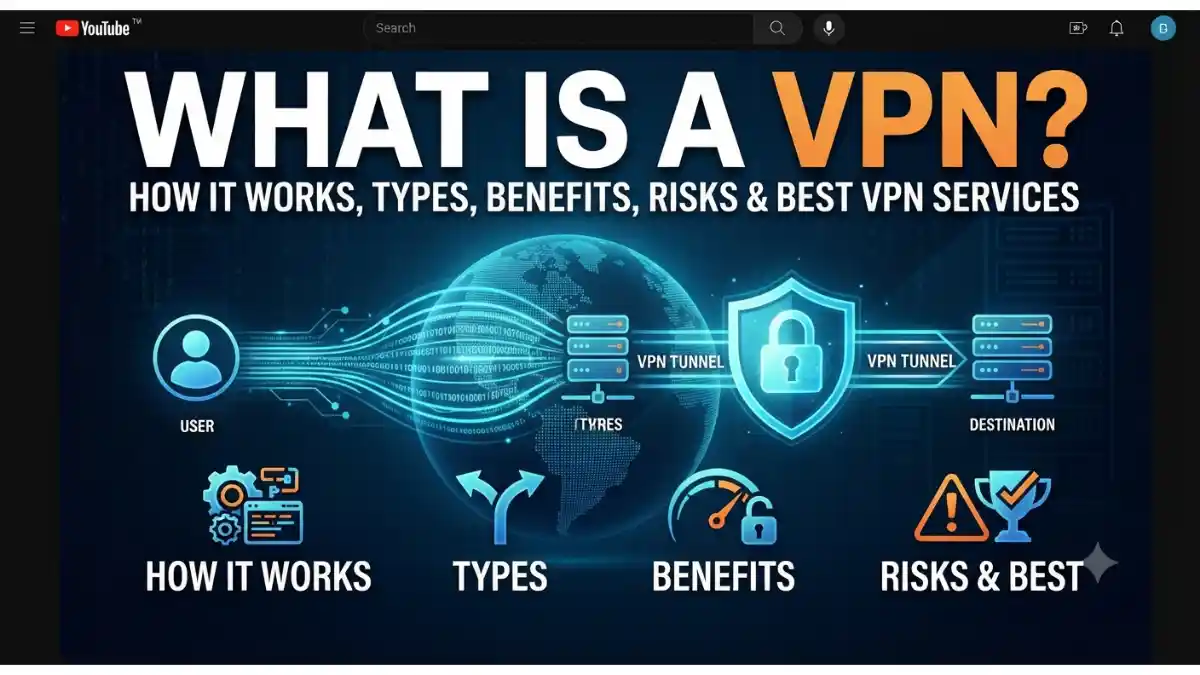
What Is a VPN?
Every time you browse the internet, your device shares information such as your IP address, location, and browsing activity with websites and internet service providers (ISPs). Without proper protection, this information can be tracked or intercepted.
A VPN (Virtual Private Network) is a technology that creates a secure and encrypted connection between your device and the internet. It hides your IP address, protects your online activity, and helps keep your personal data private.
In simple words, a VPN works like a secure tunnel that keeps your internet connection safe from hackers, trackers, and unauthorized access.
Whether you’re using public Wi-Fi, accessing work files remotely, or simply wanting more online privacy, a VPN is a useful tool.
Table of Contents
- What Is a VPN?
- Why Is a VPN Important?
- How Does a VPN Work?
- Types of VPN
- Key Features of a VPN
- Benefits of Using a VPN
- Risks and Limitations of VPNs
- Best VPN Services
- How to Choose the Right VPN
- When Should You Use a VPN?
- Frequently Asked Questions (FAQs)
- Conclusion
Why Is a VPN Important?
The internet is full of privacy risks, cyber threats, and tracking technologies. A VPN helps reduce these risks by encrypting your internet traffic.
Reasons Why a VPN Is Important
- Protects your online privacy
- Hides your IP address
- Secures data on public Wi-Fi
- Prevents hackers from stealing information
- Reduces online tracking
- Helps protect sensitive business data
- Encrypts internet traffic
- Improves remote work security
How Does a VPN Work?
A VPN works by routing your internet connection through a secure VPN server.
Here’s the basic process:
- You connect to a VPN server.
- The VPN encrypts your internet traffic.
- Your real IP address is hidden.
- Websites see the VPN server’s IP address instead of yours.
- Your data travels through an encrypted tunnel.
This makes it much harder for others to monitor your online activity.
Types of VPN
Different VPNs are designed for different needs.
1. Remote Access VPN
A Remote Access VPN allows individuals to securely connect to a private network from anywhere.
Commonly used by:
- Employees working from home
- Students
- Freelancers
2. Site-to-Site VPN
This VPN securely connects two or more office networks over the internet.
Mostly used by:
- Large companies
- Organizations with multiple offices
3. Personal VPN
A Personal VPN is used by individual users to protect privacy while browsing.
Examples include commercial VPN apps.
4. Mobile VPN
A Mobile VPN maintains a secure connection even when users switch between mobile networks or Wi-Fi.
Ideal for:
- Travelers
- Field workers
- Remote employees
5. Cloud VPN
Cloud VPNs securely connect users to cloud-based applications and services.
Popular among businesses using cloud infrastructure.
Key Features of a VPN
Most modern VPN services include the following features:
Data Encryption
Protects your internet traffic using strong encryption.
IP Address Masking
Hides your real IP address from websites and trackers.
No-Logs Policy
Some VPN providers do not store records of your online activity.
Kill Switch
Automatically disconnects your internet if the VPN connection drops, preventing accidental data exposure.
DNS Leak Protection
Prevents your DNS requests from being exposed outside the VPN tunnel.
Split Tunneling
Lets you choose which apps use the VPN and which connect directly to the internet.
Benefits of Using a VPN
A VPN offers several advantages for both personal and business users.
Protects Online Privacy
Keeps your browsing activity more private by encrypting your connection.
Improves Security on Public Wi-Fi
Public Wi-Fi networks can be risky. A VPN helps protect your data from interception.
Hides Your IP Address
Websites see the VPN server’s IP address instead of your actual one.
Supports Remote Work
Employees can securely access company resources from different locations.
Helps Reduce Tracking
A VPN can reduce tracking by websites and advertisers, although it does not eliminate all forms of tracking.
Encrypts Sensitive Information
Protects passwords, emails, banking sessions, and business data while in transit.
Risks and Limitations of VPNs
While VPNs are useful, they are not a complete security solution.
Slower Internet Speed
Encryption and routing traffic through VPN servers may reduce connection speed.
Not Complete Anonymity
A VPN improves privacy but does not make you completely anonymous online.
Free VPN Risks
Some free VPN providers may:
- Show excessive ads
- Collect user data
- Offer weaker security
- Limit bandwidth
Choose providers carefully.
Doesn’t Stop Malware
A VPN encrypts your connection but does not replace antivirus software.
Trust Depends on the Provider
Your VPN provider can potentially see some connection information depending on its policies and technical setup, so choosing a reputable provider is important.
Best VPN Services
Some well-known VPN providers include:
- NordVPN
- ExpressVPN
- Surfshark
- Proton VPN
- CyberGhost
- Private Internet Access (PIA)
- Mullvad VPN
- IPVanish
- Windscribe
- TunnelBear
Compare features, pricing, privacy policies, and server locations before choosing a service.
How to Choose the Right VPN
Consider these factors before buying a VPN.
Security
Look for:
- AES-256 encryption
- WireGuard or OpenVPN support
- Kill Switch
- DNS Leak Protection
Privacy Policy
Choose providers with transparent privacy policies and independently audited no-logs claims where available.
Speed
Select a VPN known for fast servers if you stream videos or download large files.
Server Locations
More server locations usually provide better flexibility and performance.
Device Compatibility
Check whether the VPN supports:
- Windows
- macOS
- Android
- iPhone (iOS)
- Linux
- Smart TVs
- Routers
Customer Support
Reliable 24/7 customer support can be valuable if you encounter connection issues.
When Should You Use a VPN?
Using a VPN is especially helpful when:
- Connecting to public Wi-Fi
- Working remotely
- Accessing company networks
- Protecting sensitive information while traveling
- Wanting additional privacy from your ISP or local network
Always make sure your use complies with the laws and terms of service that apply in your location and to the services you use.
VPN vs Proxy
| Feature | VPN | Proxy |
| Encrypts Internet Traffic | ✅ Yes | ❌ Usually No |
| Hides IP Address | ✅ Yes | ✅ Yes |
| Protects All Apps | ✅ Yes | ❌ Usually Browser Only |
| Security | High | Low |
| Speed | Moderate | Usually Faster |
| Privacy | Better | Limited |
Frequently Asked Questions (FAQs)
What is a VPN in simple words?
A VPN (Virtual Private Network) creates an encrypted connection between your device and the internet, helping protect your privacy and security.
Is a VPN legal?
In many countries, using a VPN is legal, but laws vary by location. Always follow the laws of your country and the terms of the services you use.
Does a VPN make me completely anonymous?
No. A VPN improves privacy by encrypting your traffic and hiding your IP address, but it does not make you completely anonymous online.
Can a VPN improve internet speed?
Usually, a VPN slightly reduces speed because of encryption and routing through VPN servers. In some specific situations, it may improve performance if your ISP is throttling certain traffic.
Should I use a free VPN?
Free VPNs can be useful for light use, but many have limitations or weaker privacy protections. A trusted paid VPN generally offers better security, speed, and features.
Conclusion
A VPN is one of the most effective tools for improving your online privacy and protecting your internet connection. By encrypting your data, hiding your IP address, and securing your connection—especially on public Wi-Fi—it helps reduce many common online risks.
However, a VPN is not a replacement for good cybersecurity practices. For the best protection, combine a reputable VPN with strong passwords, multi-factor authentication, regular software updates, and reliable antivirus software. By understanding how VPNs work and choosing a trusted provider, you can browse the internet with greater confidence and security.